Shopping Night Owl

It's 2 AM. Amazon says "Get it Tomorrow."
That is not when you wake up.

A free Chrome extension for people who shop for parts after midnight. It puts the real calendar date, the number of sleeps, and the order cutoff right under every Amazon delivery estimate.

Add to Chrome โ˜• Support on Ko-fi
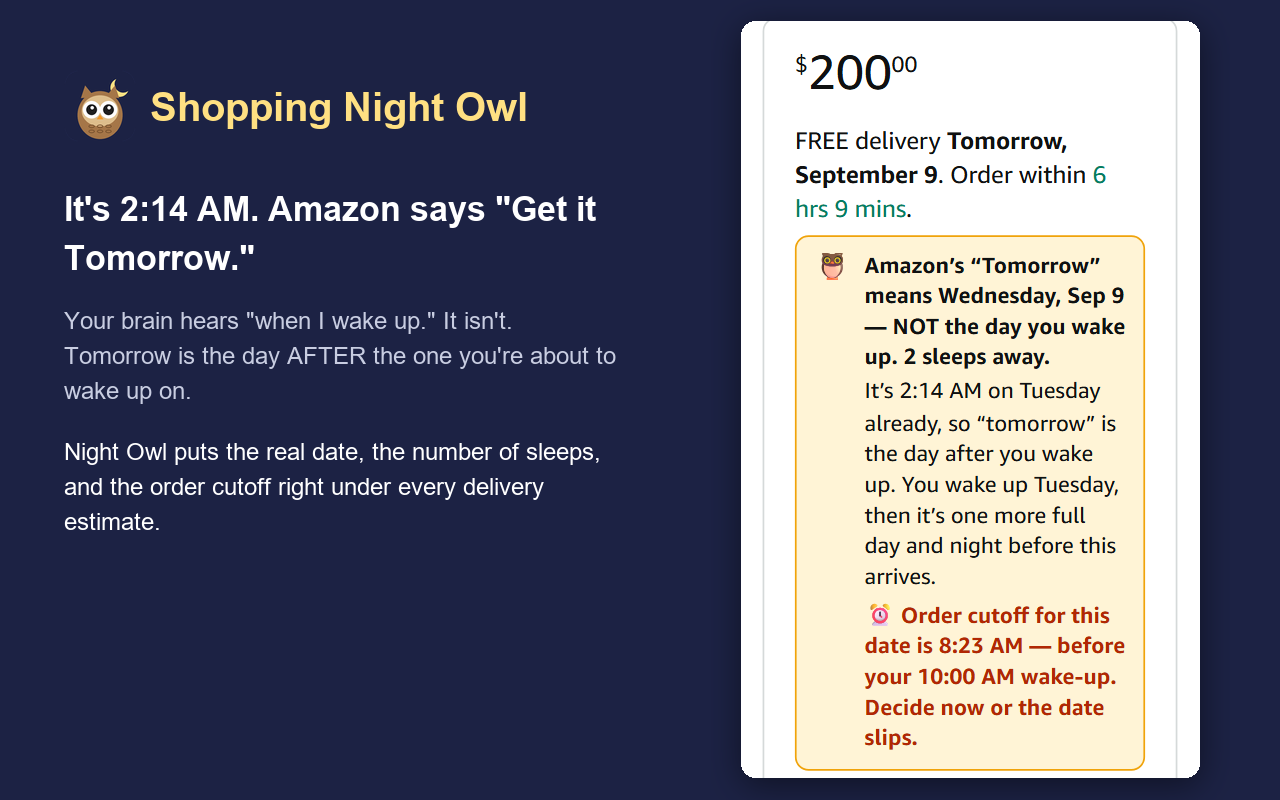
Amazon buy box with a Night Owl banner explaining that Tomorrow means Wednesday, two sleeps away

The 2 AM problem

Past midnight your brain still calls it "tonight". So "Tomorrow" sounds like "when I wake up". It isn't. Tomorrow is the calendar day after the one you're about to wake up on. Night Owl says so, right where you'd be fooled:

$20000
FREE delivery Tomorrow, September 9. Order within 6 hrs 9 mins.

What it does

Small, honest notes. No account, no tracking, no network requests.

Counts sleeps, not days

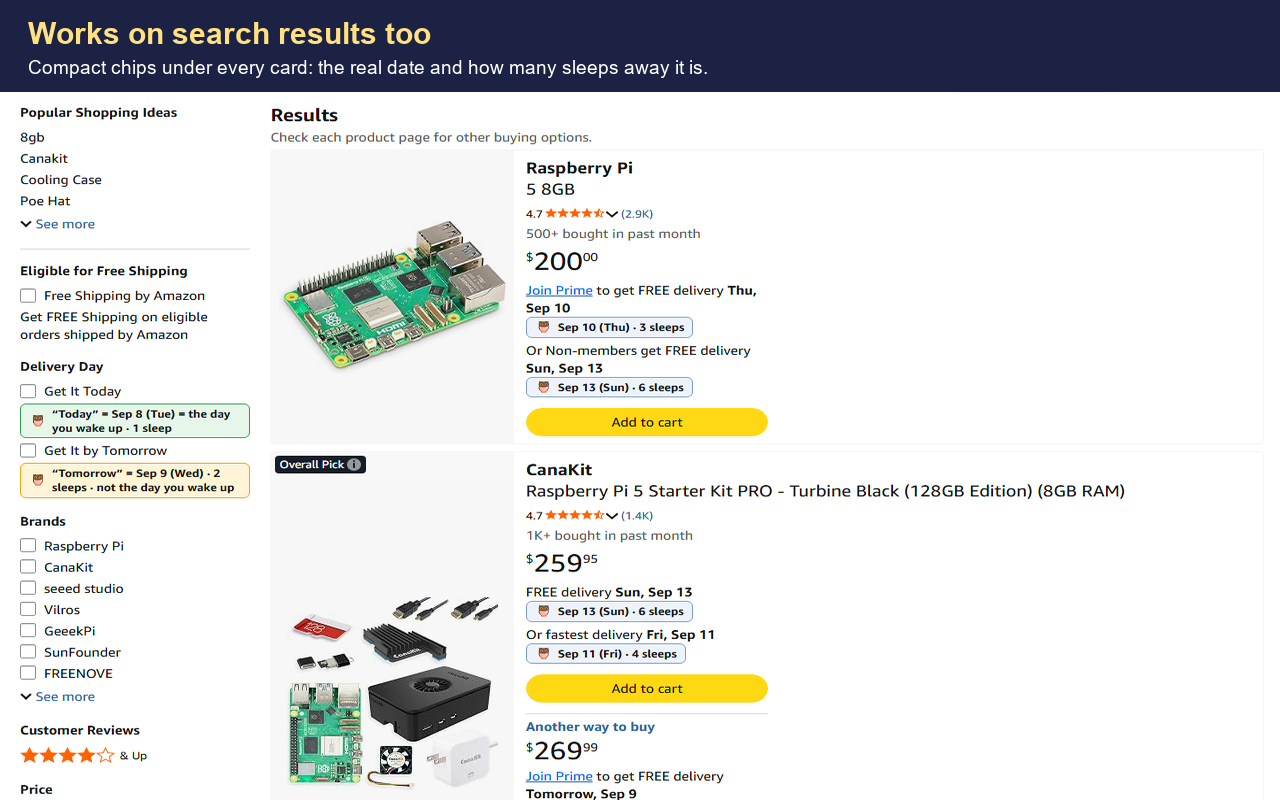
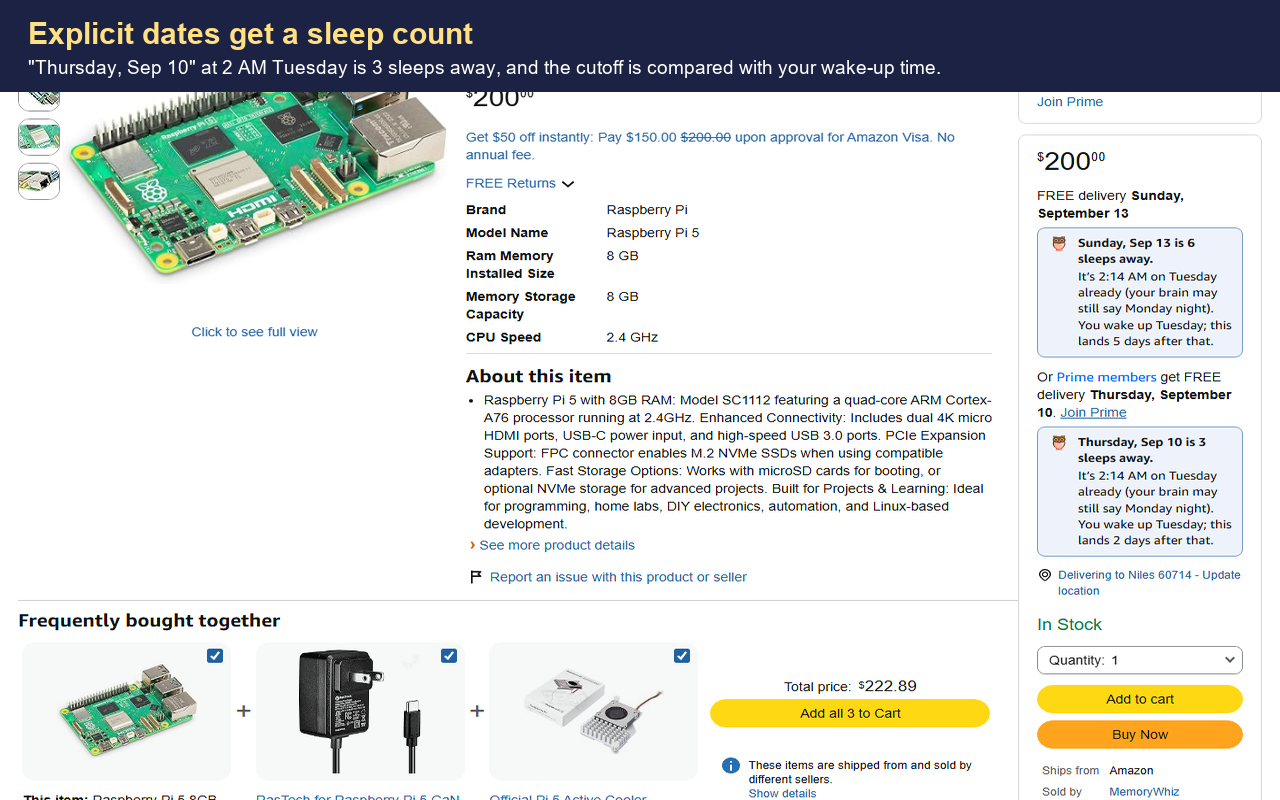
"Tomorrow" at 2 AM is two sleeps away. "Today" is one. Explicit dates get a count too.

Watches the cutoff

"Order within 6 hrs" becomes a clock time and a warning if it passes while you're asleep.

Only when it matters

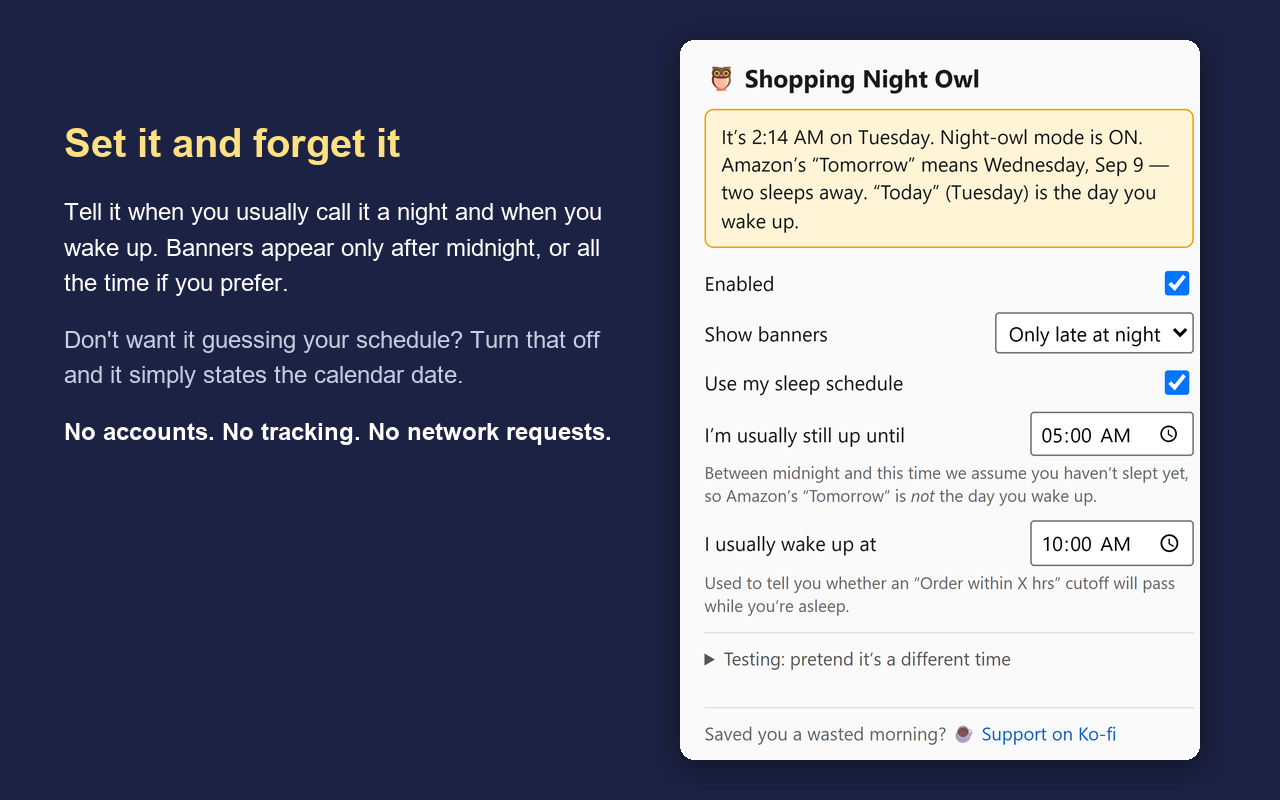
Shows after midnight by default. Set your usual bedtime and wake-up, or turn the schedule off for plain dates.

Everywhere on Amazon

Product pages, search results, cart and checkout. Order-history pages are left alone.

Eight storefronts

amazon.com, .ca, .co.uk, .com.au, .ie, .in, .sg and .ae.

Private by design

Reads only the delivery text already on the page. Settings stay in your Chrome profile. Privacy policy.

Screenshots

Captured at a simulated 2:14 AM.

Search results with compact date chips Product page with sleep-count banners Settings popup Buy box with the Tomorrow warning

Install

From the Chrome Web Store once the listing is live, or load it yourself today.

  1. Download or clone the source and open chrome://extensions.
  2. Turn on Developer mode, click Load unpacked, and pick the extension folder.
  3. Click the owl icon to set your usual bedtime and wake-up time. Use the "pretend it's a different time" field to preview the banners during the day.